
RE:Flex creates visually stunning morphs and warps with an easy-to-use interface
RE:Flex in Action

Physics #1. Time dilation
film by: Andrzej DRAGAN
to see more go to: https://andrzejdragan.com/

Tarrus Riley – Nuh Need to Worry
RE:Flex was used to morph moving faces!
Official Video: Tarrus Riley – Nuh Need To Worry
Production Company: Lionel Studio House
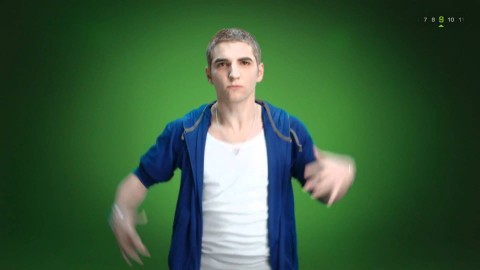
Evolution of Style
RE:Flex was used for the body alignments and face morphing. The bundled version of FreeForm with After Effects handled all the clothes folding (shirts tearing apart, jacket folding in and so on…). Then the artist stacked RSMB on top of it to help create interesting and somewhat “believable” movements.
Production Company: Noside
Client: Garnier Fructis
RE:Flex Features
Intuitive warping and morphing
RE:Flex is easy to learn because it uses the host program's own splines to direct the warping and morphing.
Automatic image registration
RE:Flex is the first morphing program to combine hand feature-matching with automatic image registration.
No meshes!
Draw on image features directly, no complicated meshes!
Feature Specs
Host spline support
Warping is directed through the host program's splines and polylines, not through a grid of mesh points! Geometries need not be closed shapes.
Interactive
Interactive warping: view the warp as you drag the control shapes.
Vertex matching
Option to match vertices of corresponding geometries for fine control.
Fine control
The amount and timing of warping can be specified and animated for each spline. Variable amount of shape transition between "from" and "to" geometries can be specified per-shape.
High-quality render
Better quality filtering with anti-aliasing subsampling and MipMap filtering.
Still-to-still morphing
Set your frames on the timeline and morphing occurs by creating a set of geometry on the "source" image, then moving the set to corresponding places on the "destination" image.
Automatic alignment
Automatic alignment morph feature can be used alone or in conjunction with hand-specified correspondences. This feature can greatly improve morphs without having to specify all features by hand.
Replace frames
Also great to repair frames in your sequence.
GPU accelerated
This product is GPU accelerated. Read more.