
How to set up host applications for RE:Vision plugins that make sequences longer?
Products with plug-ins like FieldsKit and Twixtor can generate more frames than your source sequence length. But many host applications do not naturally allow effects plugins to add more frames. Because of this, there are workarounds that need to be performed in order for RE:Vision Effects time-extending plugins to work properly. Each application has its own idiosyncrasies.
After EffectsAfter Effects Figure 1. Create an intermediate or “pre-comp” of the final duration, which in this case is 38 seconds.
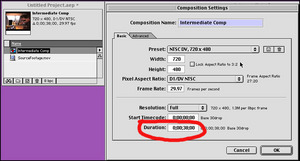
(click to enlarge)
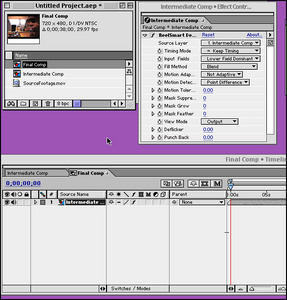
(click to enlarge)
METHOD 2
There is another workaround to making a clip longer with a plugin which we mention here because it saves you from “pre-comping” your footage: Drop your source to be processed (we’ll call it SourceFootage.mov) into a composition (of course the source may be another composition). Then create a Solid of the same pixel dimensions as SourceFootage.mov. and make the Solid layer have the duration that you need of the resultant processed source. Apply the plugin to the Solid layer and set the Source Layer to be SourceFootage (by default, Source Layer will be set to the new Solid layer you just created). In addition, you’ll probably want to make the SourceFootage layer invisible (by clicking the eye icon in the composition window), so if you have transparency in your footage, the non-processed footage doesn’t show through. You can also do the same thing using an “Adjustment Layer”. Both Solid and Adjustment layers inherit the composition duration.
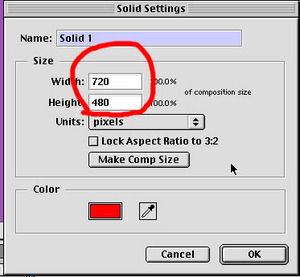
(click to enlarge)
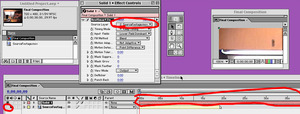
(click to enlarge)
Note that:OTHER METHODS There are other workarounds as well. Yet another workaround to making source footage longer is to first extend its duration by looping it, using After Effects “Interpret Footage.” You can then apply the plugin directly to this extended piece of footage inside of a composition. This will only work with Imported Footage, and not with nested comps.
- Plugin is applied to Solid Layer, which has been set to the correct final duration.
- Plugin source layer is set to SourceFootage.
- We also suggest you turn off the visibility of the SourceFootage layer, because seeing it can be visually confusing.
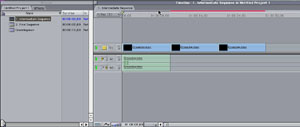
(click to enlarge)
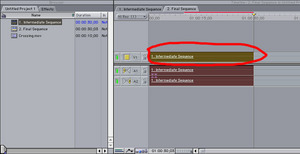
(click to enlarge)
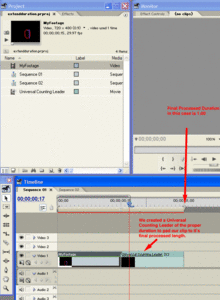
(click to enlarge)
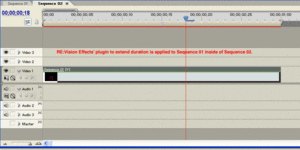
(click to enlarge)
- It is suggested that “Project Settings > General > Playback Settings > High-Quality Playback” should be checked.
- It is suggested that “Project Settings > General > Playback Settings > High-Quality Scrubbing” should be checked.
- It is suggested that the Plugin Source Layer be set to Current (which is the default).
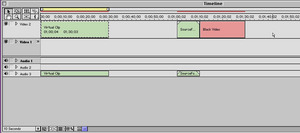
(click to enlarge)
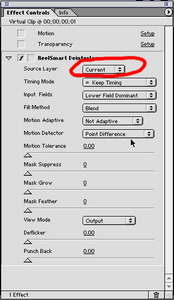
(click to enlarge)
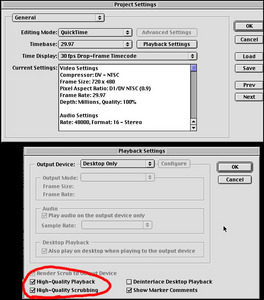
(click to enlarge)
 Here we can change the duration as I mentioned. If we know the exact duration that we want our new composition or resulting clip to be, we can enter that number now. If you would like to watch tutorials on our plugins in HitFilm, here is the link: http://help.revisionfx.com/search/?h=85&%2Fsearch%2F=
  We are going to just choose an arbitrary number that we know will be longer than our new duration for now. We can change that later. I will make it 10:00.
  Now, we can make another composite with this pre-comp and we can add Twixtor to our pre-comp (or any other plugin that lengthens the clip).
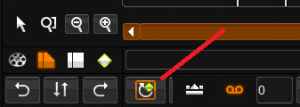 Then Select Trim Mode
 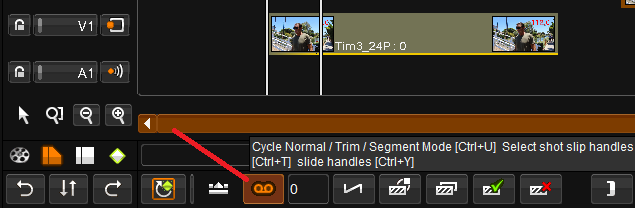 You can now grab the clip handle. Notice the red line – the material is still off-line
 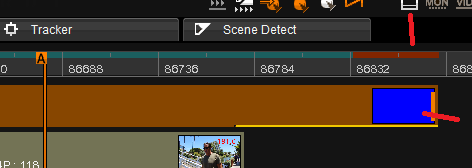 You need to select Properties and change the Duration, Apply and now a software like Twixtor can render frames past the original source duration.
  See your manual for more info